
Trails in the Sky 2nd Chapter Controller first, prompts second
Falcom recommends a pad. This page explains systems, not an unofficial DualSense sticker sheet.
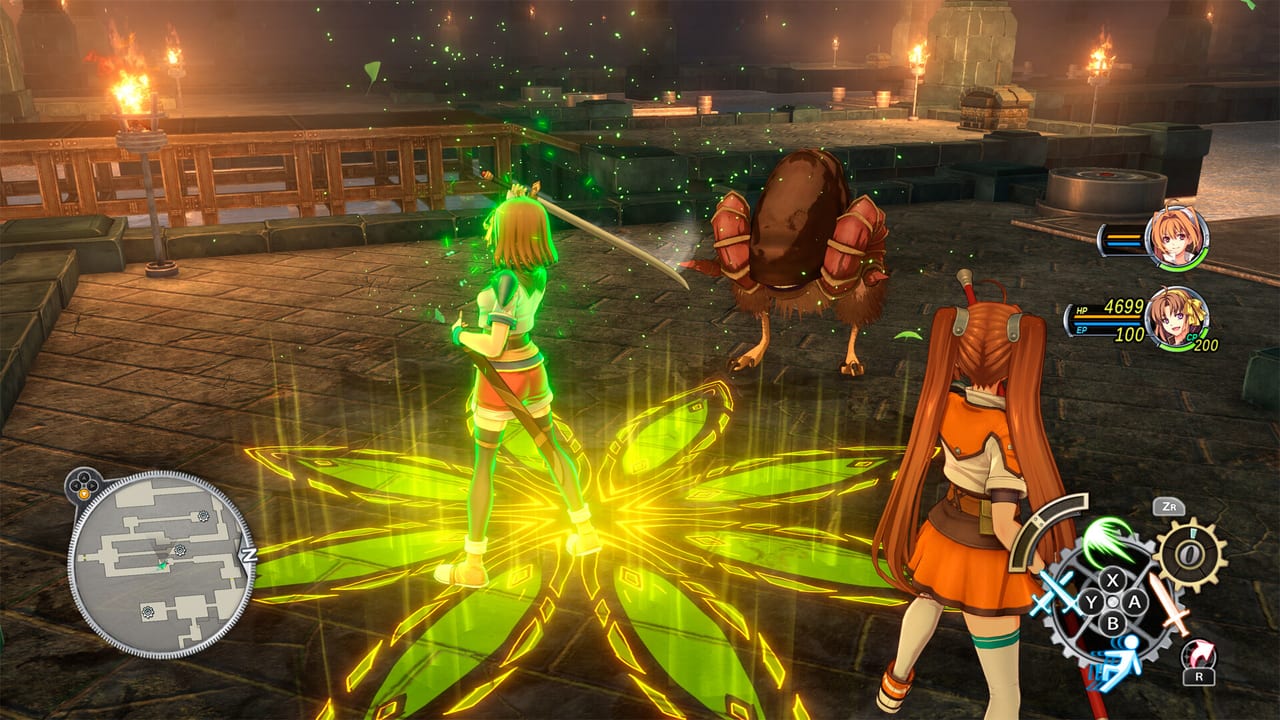
Steam’s feature list is blunt: full controller support, Xbox and PlayStation pads, Steam Input, and a note that you should play with a controller. Keyboard exists on PC. It is not the intended stick for Brave Rush, Command Battle, or fishing.
This page does not invent a complete button map. Use the on-screen prompt, any in-game button display option, and Steam’s controller overlay, then map the systems below onto those prompts.
Why a controller
The remake mixes analog field movement, real-time Quick Battle, AT-bar Command Battle, and minigames that want a face button plus a stick. DualSense vibration is listed on Steam and PlayStation Store. Xbox pads use XInput. Switch uses Nintendo controllers, including when the demo runs on Switch 2. If icons show keyboard keys while a pad is plugged in, open Steam Input. Do not download a third-party mapper.
Field
On the field you walk Liberl, talk, examine, open the camp menu, and bump into enemies. Left stick moves, right stick cameras, and the remaining face/shoulder buttons are labeled on screen for interact, sprint, menu, and lead-character swap. Exact names change between Nintendo, Xbox, and PlayStation layouts. Believe the prompt over a screenshot from another platform. Party identity on the field still matters for who speaks; the party roster is the lore side of that switcher.
Quick Battle
Quick Battle is the real-time layer for standard encounters. You attack in motion, spend crafts that have real-time animations, and — new in 2nd Chapter — fire Brave Rush, a linked attack where a second character joins for extra damage. Brave Rush is a dedicated command in this layer. Whatever prompt the game shows for it (a shoulder, trigger, or assigned face button) is the one to learn first, because it is how you keep random fights short.
If you mash only the basic attack, you are playing a worse version of the system. The combat guide covers when to stay in Quick Battle versus when to drop into commands. Do not copy a blog that says “R2 is always Brave Rush.” Look at the HUD legend on your platform.
Command Battle
Command Battle is the series’ turn-based core: AT bar, crafts, arts, items, movement on the grid or lane depending on the remake’s presentation, and S-Crafts. You highlight a command, confirm, then choose a target. Quartz loadouts decide which arts appear; that is orbment work, not a control issue.
Lower stick deadzones in Steam Input if the cursor skips names. Confirm and cancel follow standard JRPG logic. S-Crafts usually want an extra confirm; demo patch 1.00.2 fixed S-Crafts that sometimes failed to unlock after battle — that was a progress bug, not a missing button. DualSense vibration, where present, is garnish. It does not change AT order.
Fishing timing
Falcom’s fishing primer is public and short:
- Choose a fishing spot.
- Pick rod and bait (combinations attract different species).
- Choose where to cast.
- Press the button at the right moment to hook.
- Use the button and control stick to reel.
Timing is a minigame, not a menu. Demo 1.00.1 fixed fishing crashes; update before you grind the Fishing Notebook. Notebook rewards are side content. Watch the hook prompt once instead of guessing Cross versus B.
PC, Deck, and prompt packs
Plug the pad in before launch so Steam Input attaches. DualSense over USB is the boring path; Bluetooth works but is the first thing to blame if glyphs glitch. Keyboard is fine for naming saves, not for Command Battle. On Steam Deck, use the built-in pad and the 40–50 FPS Medium baseline on PC requirements. On Switch, the demo is the Switch 1 build even on Switch 2. On PS5, expect DualSense glyphs and the trophy caveat if you transfer a demo save.
Remap inside the game if the option exists, or in Steam Input if it does not. Do not use trainers. Once movement, Brave Rush, command confirm, and the fishing hook feel boring, stop tinkering. Estelle’s route, Ouroboros fights, and quartz lines will demand more attention than any overlay. If a prompt and this article disagree, the prompt wins.
Frequently Asked Questions
Quick answers for demo players and anyone waiting on the September launch.
Do the developers really recommend a controller?
Yes. Steam says so next to full controller support and Steam Input. Keyboard works on PC, but PC specs and this page both assume a pad.
What is Brave Rush bound to?
A dedicated Quick Battle command. Read the HUD prompt on your platform instead of copying a PS5 review's shoulder button. Combat theory is in the combat system guide.
How does fishing work?
Cast, press on the hook timing, then reel with button plus stick. Rod and bait change species. Notebook rewards are listed under side content.
Will DualSense adaptive triggers be required?
PlayStation lists DualSense vibration. This wiki does not invent an adaptive-trigger spec. Any pad that Steam Input or the Switch accepts should play the game.
Why did fishing crash in the demo?
A bug. Patch 1.00.1 fixed occasional fishing crashes and Olivier's English song voice. Update notes are on demo news.